For years, choosing an MDM was basically a question of “how many devices do I have and how much does it cost to manage them.” In 2026, that question doesn’t cut it anymore.
Kenya’s cybersecurity landscape shifted in 2026: a National Cybersecurity Agency was established by Executive Order in May, and Parliament passed the Computer Misuse and Cybercrimes (Amendment) Bill in June, pulling critical infrastructure operators (banks, telcos, utilities) into requirements for data localisation, annual risk assessments, internal ops centres, and 24-hour incident reporting, endpoint traceability, access control, incident response, and evidence.
Table of Contents
- Key Facts
- What should you look for in MDM software?
- Comparison table: the best MDM software in 2026
- How do you choose the right MDM for your business?
- What are the future trends shaping MDM in 2026 and beyond?
- MDM and Kenya data protection: what IT teams need to know
Key Facts
- The best MDM software in 2026 combines endpoint management, zero-touch enrolment, and HRIS-linked lifecycle automation to reduce manual IT overhead across mixed device fleets.
- According to Mordor Intelligence, the global MDM market is valued at USD 11.11 billion in 2026 and is forecast to reach USD 26.04 billion by 2031 at an 18.57% CAGR.
- Hybrid working has pushed 82% of organisations to allow employee-owned phones and tablets on corporate networks, up from 67% in 2023, creating acute pressure on IT teams to manage BYOD at scale.
In this article, we break down the best MDM solutions of 2026 so you can find the one that fits your company best, both in terms of functionality and regulatory compliance.
What should you look for in MDM software?
Choosing the right MDM platform is not simply a matter of feature checklists, the decision typically comes down to three practical questions:
- Fleet composition. A 100% Apple environment has different requirements from a mixed Windows, macOS, Android, and Linux fleet. Apple-only platforms offer deeper native integration. Cross-platform unified endpoint management (UEM) tools trade some depth for breadth.
- Ownership model. Corporate-owned devices (COPE or fully managed) allow full MDM control. BYOD (bring your own device) environments require a work-profile or container approach that separates corporate data from personal use without exposing personal content to IT. A mature BYOD policy helps define these boundaries.
- Integration with existing systems. An MDM that connects to your identity provider, HRIS, and SIEM from day one reduces manual overhead. One that requires custom scripting to achieve the same result adds hidden cost to every deployment.
Comparison table: the best MDM software in 2026
| Software | Best for | Platform | Zero-touch | BYOD | HRIS | SaaS Mgmt | Data | Pricing |
| Factorial IT | Mixed fleets with IT-HR lifecycle | macOS, Windows, Linux, iOS, Android | ✅ Yes | ✅ Yes | ✅ Native | ✅ Yes | Kenya | Quote-based |
| Microsoft Intune | Microsoft 365 ecosystem | Windows, macOS, iOS, Android, Linux | ✅ Yes (Autopilot) | ✅ Yes | ⚠️ Via Azure AD | ❌ No | Kenya region available | From £19.70/user/mo (M365 Business Premium) |
| Jamf | 100% Apple fleets | macOS, iOS, iPadOS, tvOS | ✅ Yes (ABM) | ✅ Yes | ⚠️ Limited | ❌ No | Primarily EU | Quote-based |
| Hexnode UEM | Mixed fleets with templates | Windows, macOS, iOS, Android, ChromeOS | ✅ Yes | ✅ Yes | ⚠️ Limited | ❌ No | Primarily EU | 5 tiers, quote-based |
| NinjaOne | IT teams with existing RMM | Windows, macOS, Linux, iOS, Android | ✅ Yes | ✅ Yes | ❌ No | ❌ No | Primarily EU | Per-device, quote-based |
| Mosyle | Apple-first companies & education | macOS, iOS, iPadOS, tvOS | ✅ Yes (ABM) | ✅ Yes | ❌ No | ❌ No | Primarily US | Free (≤30 devices), paid plans available |
| Scalefusion | Kiosks, POS & field devices | Windows, macOS, iOS, Android, Linux | ✅ Yes | ✅ Yes | ❌ No | ❌ No | Primarily US | Quote-based |
| Rippling IT | Companies already on Rippling HRIS | macOS, Windows, iOS, iPadOS | ✅ Yes | ✅ Yes | ✅ Native | ✅ Yes | Primarily US | From ~$8/user/mo |
| Iru (formerly Kandji) | Apple-first with declarative config | macOS, iOS, iPadOS, tvOS | ✅ Yes (ABM) | ✅ Yes | ⚠️ Limited | ❌ No | Primarily US | Quote-based |
| Miradore | Very tight budgets | iOS, Android, Windows, macOS | ⚠️ Partial | ✅ Yes | ❌ No | ❌ No | Primarily EU | Free plan available, Premium+ paid |
1. Factorial IT
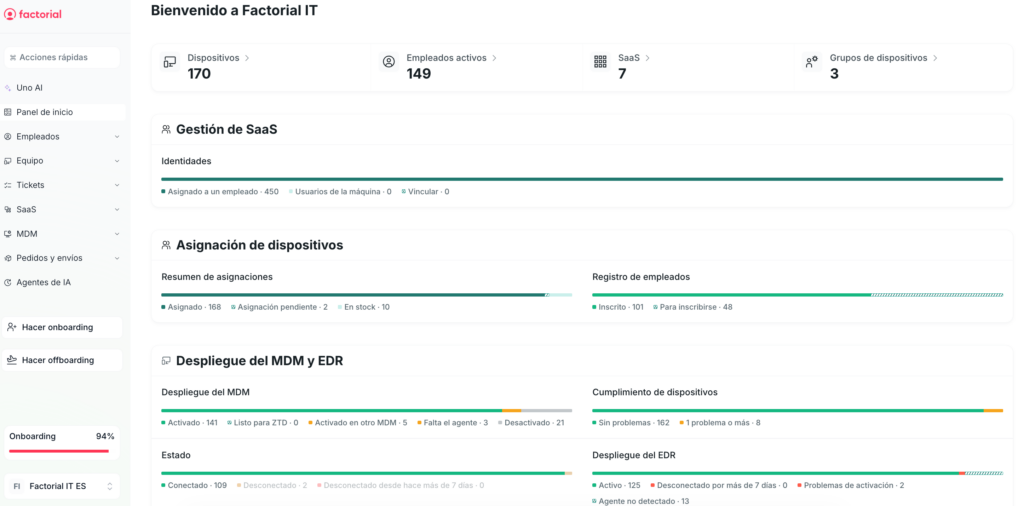
Best for: IT teams at growing and mid-sized European companies managing mixed fleets (macOS, Windows, Linux, iOS, Android) that want to automate endpoint and access provisioning and deprovisioning based on HRIS changes.
Factorial IT combines device management, SaaS access control, and employee lifecycle provisioning in a single platform. What sets it apart from traditional MDMs is not so much the endpoint management itself (though it does that too) but the fact that the device lifecycle is tied to the HRIS from the start. When a new hire, department change, or offboarding is logged, IT can trigger device provisioning or deprovisioning, SaaS licences, and access permissions without juggling half a dozen separate systems. Data and support are based in Europe.
Key MDM Features
- Zero-touch enrolment across platforms: integration with Apple Business Manager and Automated Device Enrolment for macOS, iOS, and iPadOS. Windows Autopilot for Windows devices. Devices are automatically configured on first boot with profiles, apps, and corporate credentials already applied.
- Configuration profiles: enforcement of security policies, restrictions, certificates, Wi-Fi, and VPN profiles from the console. Compliance mapped to standard security frameworks.
- Disk encryption with key escrow: forced activation of FileVault on macOS and BitLocker on Windows, with centralised recovery key escrow so the IT team can regain access without losing data.
- Update and patch management: forced OS updates, configurable maintenance windows, and fleet-wide patch status monitoring.
- Real-time inventory: visibility into which apps are installed, which versions are running, what hardware each device has, and its compliance status, without relying on scheduled reports.
- Vulnerability monitoring (CVE): automatic correlation between installed software across the fleet and public vulnerability databases to detect endpoints exposed to known CVEs.
- App deployment: Apple VPP for macOS and iOS, Managed Google Play for Android, and MSI/PKG packages for Windows. Assignment based on user or device groups.
- Remote commands: lock, wipe, locate, restart, and run custom scripts on macOS, Windows, and Linux devices from the console.
- IT-HRIS automation: a new hire, transfer, or offboarding in the HRIS automatically triggers endpoint, SaaS licence, and corporate access provisioning or deprovisioning, with no manual tickets required.
- Integrated SaaS app management: visibility and control over SaaS licences from the same platform that manages your endpoints.
- Platform and data operated from Europe: with European business-hours support included.
What Makes It Different
Most MDMs treat the device as an entity separate from the employee using it. Factorial IT takes the opposite approach: the endpoint is just another attribute of the employee record, like their email or their role. When HR updates that record, a new hire, a department transfer, an offboarding; IT does not receive a ticket. The new state is already applied to the device, the licences, and the access permissions. For an IT team that was previously orchestrating that cycle manually across three or four consoles, the shift is operational, not cosmetic. This approach is a core part of device lifecycle management.
Limitations
- No ChromeOS. If you have Chromebooks in your fleet, you will need to supplement with another tool.
- The integration catalogue for ticketing, SIEM, and other third-party systems is growing but still smaller than Intune’s or Jamf’s. If you have a very specific stack, it is worth checking which connectors already exist.
- The real value shows up when Factorial IT is paired with Factorial HRIS. As a standalone MDM it works, but it is like buying a KitchenAid just to boil water.
Kenya compliance note: Factorial IT’s configuration profile enforcement and real-time compliance monitoring map to obligations under Kenya’s Data Protection Act 2019 and the Computer Misuse and Cyber Crime Regulations 2024; specifically the requirement to restrict system access to authorised personnel, apply technical and organisational security measures to personal data, and (for critical-infrastructure operators) maintain named CISO oversight and audit-ready records.

2. Microsoft Intune
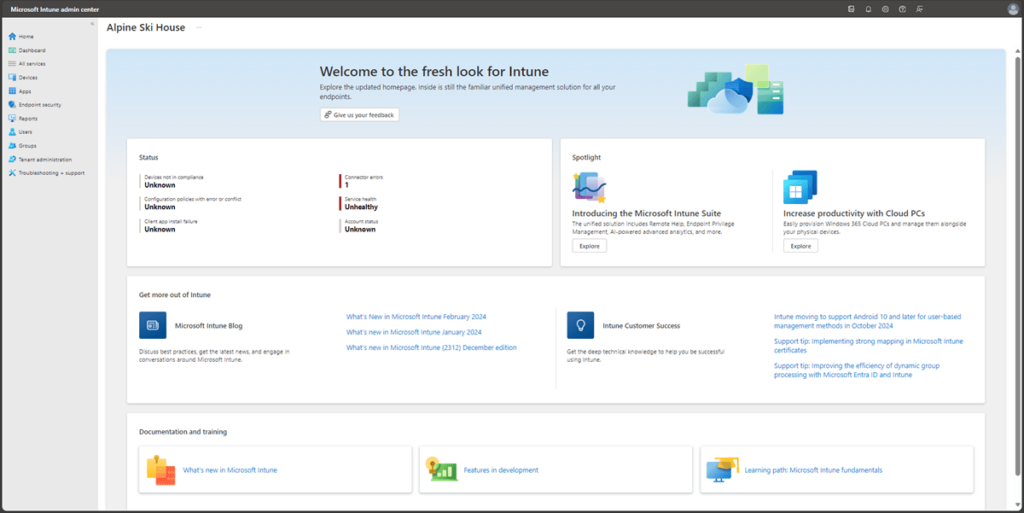
Best for: organisations already embedded in the Microsoft 365 ecosystem that want to consolidate endpoint management without adding another vendor to the stack.
Intune is Microsoft’s play for unified endpoint management and, for any company with E3 or E5 licences, the path of least resistance. Its strength lies in native integration with Azure AD, Microsoft 365, Defender for Endpoint, and Windows Autopilot. When those pieces are already part of your architecture, Intune practically slots itself in. The trade-off is that getting fluent with the console takes time.
Key MDM Features
- Windows Autopilot zero-touch: automated deployment on Windows devices with enrolment profiles that configure the device on first boot with no user intervention.
- Conditional access policies with Azure AD: rules that combine device state, location, and compliance to allow or block access to corporate resources. For example, a sales rep trying to open SharePoint from a laptop without BitLocker enabled gets blocked until encryption meets the policy.
- Win32 app management: packaging in.intunewin format with requirement detection, dependency rules, and assignment by user or device groups.
- Configuration Service Providers (CSP): the declarative API Microsoft exposes for applying Windows settings from an MDM without relying on GPOs. It covers virtually any configurable system parameter.
- BitLocker management with key escrow: forced disk encryption activation with recovery key custody in Azure AD and compliance reporting.
- Update Rings for Windows Update for Business: staged patch rollouts by deployment rings with configurable maintenance windows and deadlines.
- App Protection Policies for BYOD: corporate data protection on personal devices without requiring full device enrolment.
- Proactive remediations: PowerShell scripts that automatically detect and fix configuration drift without manual intervention.
- Multi-OS support: management of Windows, macOS, iOS, Android, and Linux devices from a single console.
- Plan 1 included in Microsoft 365: access to basic MDM with E3, E5, F1, F3, and Business Premium licences at no additional cost.
What Makes It Different
The power of conditional access policies combined with identity. Setting up a rule like “only encrypted and patched devices can access SharePoint from outside the office” is straightforward in Intune, and that layer of defence is valuable in hybrid environments where Azure AD is already in place.
Limitations
- Steep learning curve. The Intune Admin Centre is dense and not intuitive for IT teams without dedicated expertise. It takes specific experience to use effectively.
- Management of Apple and Android devices, while functional, falls short of specialised solutions in terms of depth of control.
- The add-ons (Plan 2, Intune Suite) significantly increase costs to access Remote Help, Advanced Analytics, or specialised device management.
Pricing note: Microsoft Intune Plan 1 is included in Microsoft 365 Business Premium, which is priced at approximately £19.70 per user per month in 2026. For organisations already paying for Business Premium, MDM is effectively included at no additional cost. Standalone Intune Plan 1 licences are also available separately.
3. Jamf
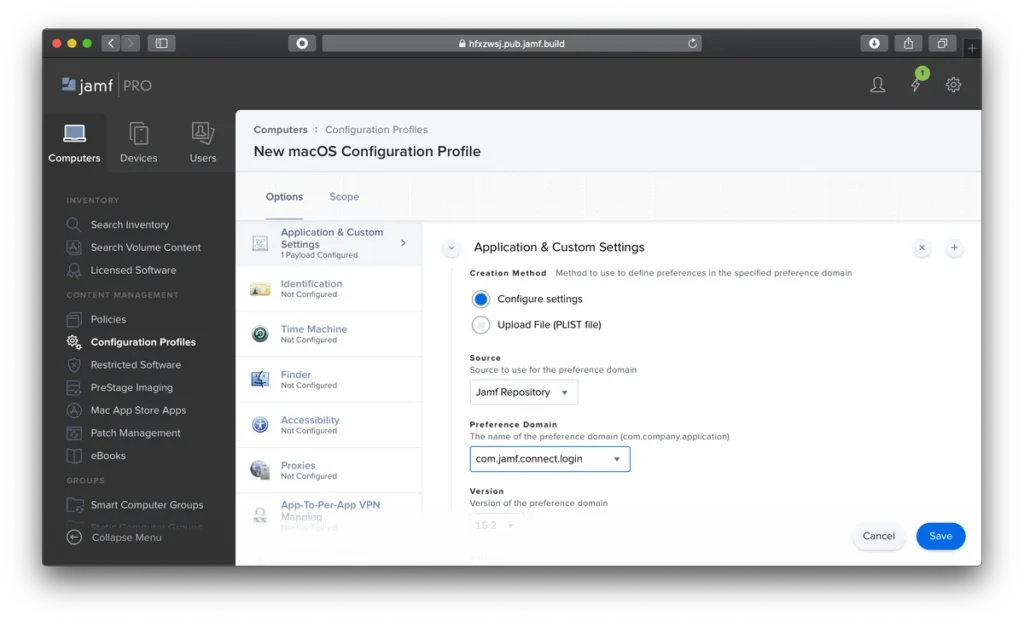
Best for: companies with a 100% Apple fleet that need the deepest level of control over macOS, iOS, iPadOS, and tvOS.
Jamf has been a go-to name in Apple device management for years, and for good reason. Its integration with Apple Business Manager works well, the configuration catalogue is extensive, and it covers aspects that other platforms do not always address. In addition, it has an active technical community that makes day-to-day troubleshooting easier. That said, it is not cheap, not especially easy to administer, and not the best choice if your device fleet extends beyond the Apple ecosystem.
Key MDM Features
- PreStage Enrolments via Apple Business Manager: zero-touch provisioning from unboxing, with profiles and apps applied automatically on first device boot.
- Dynamic Smart Groups: automatic device grouping based on inventory criteria that trigger policies without manual intervention. For example, a group containing “all MacBook Pros running macOS below 14.0 with FileVault disabled” automatically pushes the patch and encryption when a device matches those conditions.
- Jamf Composer: a tool for packaging custom apps and configurations as PKG files ready for fleet-wide deployment.
- Corporate Self Service: a portal where end users can install IT-approved apps without opening tickets or relying on the tech team.
- Advanced configuration profiles: granular control over virtually any native macOS and iOS setting, including system extensions and kernel extensions.
- Automated Patch Management: version tracking and update deployment for common third-party apps without manual intervention.
- Jamf Protect and Jamf Connect (add-ons): Protect provides native macOS endpoint threat detection, and Connect manages corporate identity and passwords.
- FileVault management with key escrow: disk encryption activation and control with institutional recovery key escrow.
- Active community (Jamf Nation): a repository of resources, scripts, and automation recipes maintained by the admin community.
What Makes It Different
The level of detail in macOS-specific policies. There are complex provisioning workflows that on other platforms require scripts and workarounds. In Jamf, they are a checkbox. If your reality is “Macs only and iPads only,” you will find things that only Jamf handles well, and you will be glad it does.
Limitations
- Apple only. It does not manage Windows, Android, or Linux. Companies with mixed fleets will need a second MDM, no exceptions.
- High price compared to cross-platform alternatives, especially for teams with fewer than 200 devices.
- The complexity requires admins with specific Jamf experience, which drives up total cost of ownership.
4. Hexnode UEM
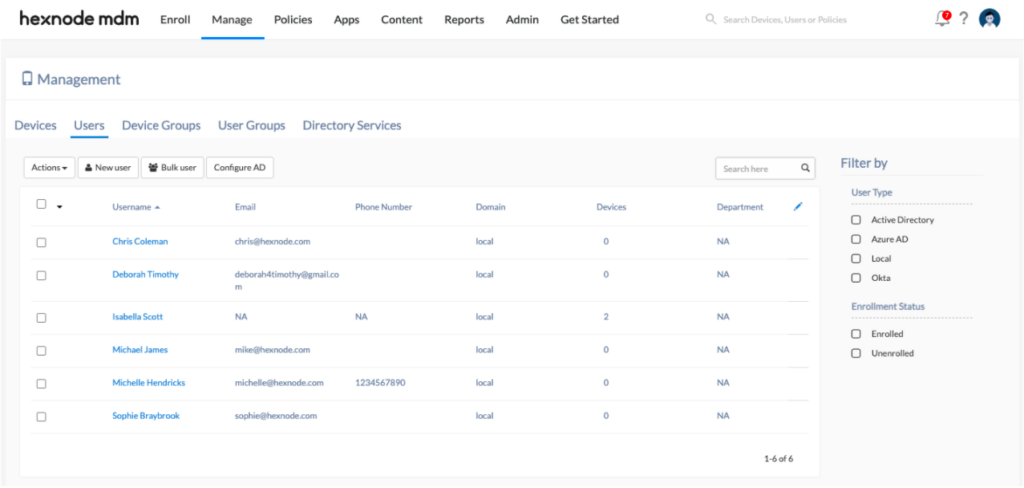
Best for: IT teams managing cross-platform fleets that need pre-built templates to deploy fast without complex configuration.
Hexnode supports Windows, macOS, iOS, Android, tvOS, Fire OS, and ChromeOS. What sets it apart is not so much that coverage (other competitors offer it too) but its library of pre-built policy templates. For an IT team with limited resources, starting from a template like “BYOD Android” or “iPad kiosk” and tweaking only what is needed is a completely different experience from configuring everything from scratch. That translates into shorter deployment times and less friction during rollout.
Key MDM Features
- Zero-touch enrolment across platforms: integration with Apple Business Manager, Android Zero-Touch, Samsung Knox, and Windows Autopilot so devices configure themselves automatically on first boot.
- Pre-built policy templates: ready-made configurations for common use cases like kiosk, BYOD, shared devices, and COPE, reducing deployment time and the chance of errors.
- Full Android Enterprise: support for Work Profile, Fully Managed, and Dedicated Device modes, covering everything from BYOD to single-purpose devices.
- Advanced Kiosk Lockdown: single-app or multi-app lockdown with a filtered web browser and hardware restrictions like camera, USB, and physical buttons.
- Corporate content management: document distribution to devices with viewing restrictions and control over who accesses what.
- Geofencing and location-based policies: automatic application of configurations and restrictions based on the device’s physical location.
- Enterprise app deployment: distribution via Managed Google Play, Apple VPP, and MSI/EXE packages on Windows, with assignment by user or device groups.
- Remote View and Remote Control: remote assistance for end users directly from the console, no third-party tools needed.
- ChromeOS support: Chromebook device management, a capability several competitors on this list do not offer.
- Five pricing tiers: a flexible structure that lets you match spending to each team’s actual needs.
What Makes It Different
Its library of pre-built templates. This may seem like a minor detail, but it makes a real difference when the IT team does not have someone dedicated exclusively to endpoint management. Configuring an Android Work Profile policy in Hexnode takes minutes, not hours. That speed is what separates a deployment that ships this afternoon from one that sits on the backlog until next month.
Limitations
- The advanced security features (certificate management, per-app VPN, granular app control) only show up in the Enterprise and Ultra plans.
- The integrations with HRIS and IT service management tools are limited compared to more full-featured platforms.
- Support can be slow on entry-level plans, especially during European business hours.
5. NinjaOne
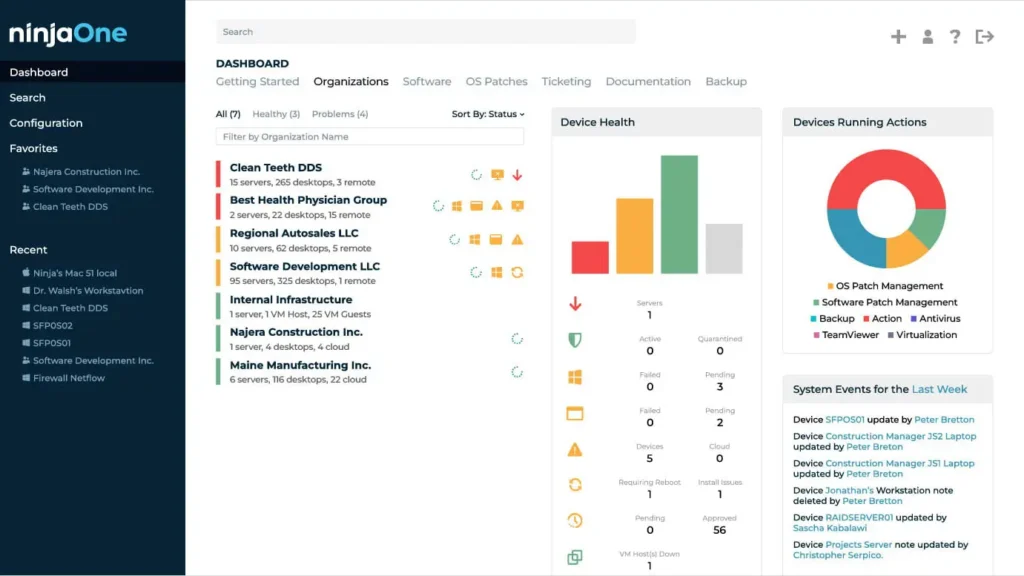
Best for: in-house IT teams and MSPs already using NinjaOne as their RMM that want to extend management to mobile devices without adding a second console.
NinjaOne started as an RMM tool (remote management for servers and Windows endpoints) and has gradually expanded into MDM territory with support for Android, iOS, macOS, and Linux. For teams already using it to monitor servers, bringing mobile and laptop management into the same console is a natural extension. Consolidating everything into a single tool is, in practice, one of the simplest ways to reduce manual work for a resource-strapped IT team.
Key MDM Features
- Automated cross-platform patching: Windows, macOS, and Linux updates with granular policies by deployment ring and configurable maintenance windows.
- Software Deployment: MSI, EXE, PKG package deployment and custom scripts with automatic retries and installation verification.
- Advanced scripting inherited from the RMM module: PowerShell, Bash, and other script execution across the entire fleet, with scheduling and automation for recurring tasks.
- Real-time monitoring: customisable alerts on hardware, software, and security status for every device in the fleet.
- Built-in remote access (NinjaOne Remote): remote assistance from the console itself, no need to license external tools like TeamViewer or AnyDesk.
- MDM policy management for iOS and Android: enrolment, configuration profiles, and remote commands for mobile devices from the same platform.
- Automated hardware and software inventory: full visibility into what is installed on each device with a change history.
- Integrated backup (add-on): endpoint backups configurable directly from the console.
- Pay-per-device pricing: flexible structure with per-device billing and volume discounts.
What Makes It Different
For IT teams that are constantly bouncing between patching a Windows Server and troubleshooting an Outlook issue on a sales rep’s phone, having everything in one console makes a significant difference in day-to-day operations. The interface is well designed for daily workflows. It is not the flashiest on the market, but it is one of the fastest when it comes to finding what you need and taking action.
Limitations
- The mobile MDM capabilities are newer and less mature than the traditional endpoint management features.
- It does not offer SaaS management or access provisioning. It is a pure device management tool.
- Pricing is not public and requires a sales conversation, which makes it harder to compare during the initial evaluation phase.
6. Mosyle
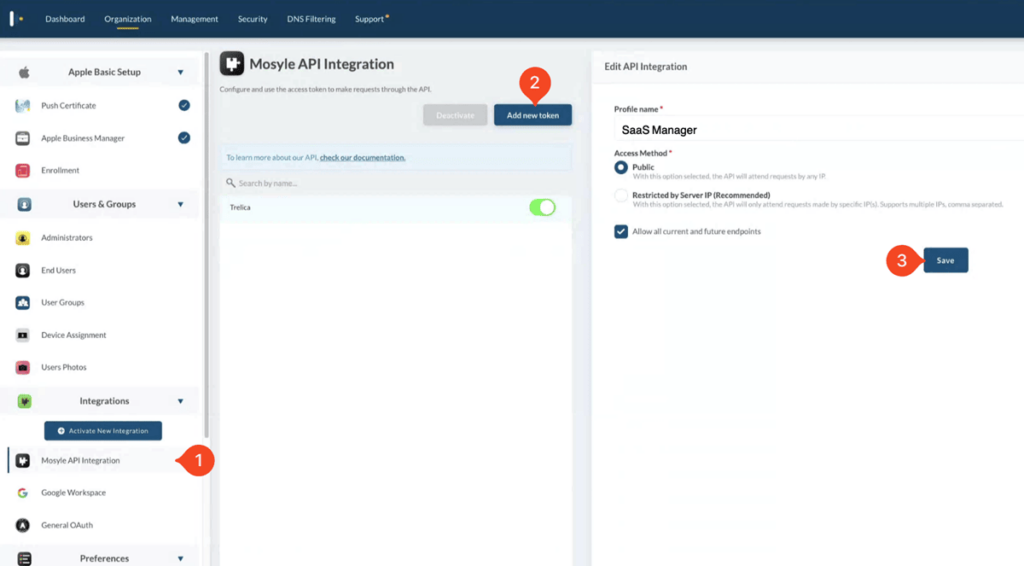
Best for: Apple-first companies and schools looking for an alternative to Jamf with more aggressive pricing and an all-in-one package.
Mosyle has established itself as one of the strongest alternatives for managing Apple devices exclusively. Its main advantage over other competitors is its unified platform approach. While other solutions charge separately for modules (antimalware, identity, DNS filtering), Mosyle bundles everything into one plan at a significantly lower price. It started in education, but the Business Premium and Fuse editions are clearly aimed at small and mid-sized companies with Mac fleets.
Key MDM Features
- Automated Device Enrolment via Apple Business Manager: zero-touch provisioning with simplified workflows so devices come configured right out of the box.
- Mosyle Fuse as a unified platform: a single product that combines MDM, endpoint protection (antimalware), identity management (unified login), and DNS filtering with no additional modules.
- AutoPatch for third-party apps: automatic updates for over 200 common macOS applications without IT team intervention.
- Comprehensive configuration profiles: granular management of macOS, iOS, and iPadOS with native support for the latest Apple Silicon versions.
- Mosyle Hardening: one-click CIS benchmark enforcement on macOS devices to meet security standards without manual configuration.
- App management via Apple VPP: centralised purchasing and deployment of App Store apps with per-user or per-device assignment.
- FileVault with key escrow: disk encryption activation and institutional recovery key escrow.
- Free plan for up to 30 Apple devices: a functional option for small teams that want to try the platform with no strings attached.
- Education-specific tools: features designed for device management in classroom and school environments.
What Makes It Different
What you get for the price you pay. Where other solutions charge separately for antimalware, identity management, and DNS filtering, Mosyle bundles it all into a single plan. For an Apple shop with 80 devices that would rather not juggle multiple vendors at once, the difference in cost and operational simplicity is significant.
Limitations
- Apple only. No support for Windows, Android, or Linux.
- The education focus means some enterprise features are less polished than Jamf Pro’s.
- Data hosted primarily on US infrastructure, which can complicate compliance for European companies with strict data residency requirements.
7. Scalefusion
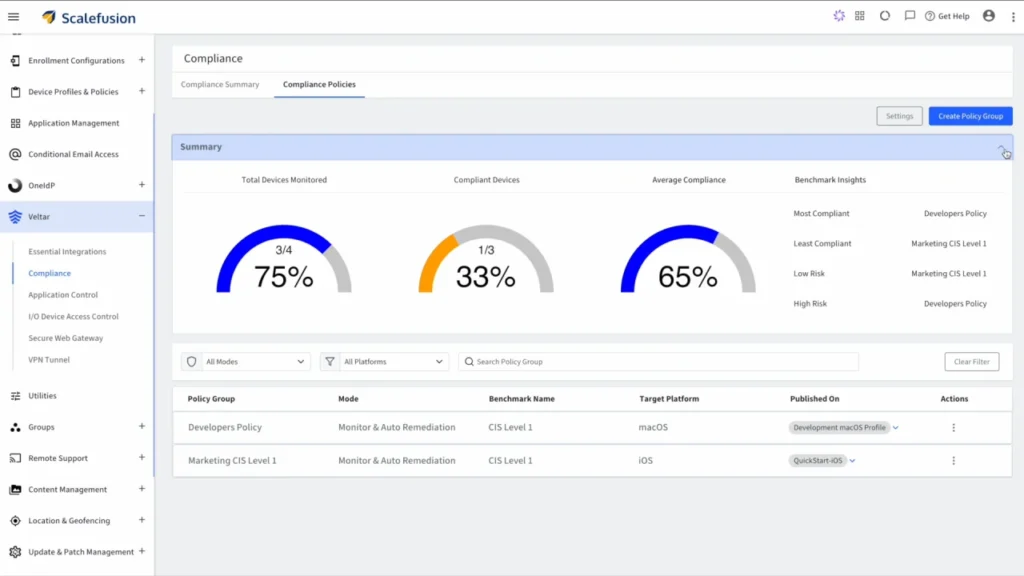
Best for: companies managing dedicated devices like kiosks, POS terminals, field equipment, or shared devices.
Scalefusion is built around managing dedicated devices. Tablets in stores, warehouse terminals, delivery drivers’ phones. Its strongest suit is real-time remote control, with a remote terminal, session recording, and file transfer. Everything is designed for intervening on devices the IT team cannot physically reach.
Key MDM Features
- Real-time remote control: device streaming, remote terminal with session recording, and file transfer to resolve issues without physical access.
- Advanced kiosk mode: single-app and multi-app lockdown on Android, iOS, and Windows with granular control over which UI elements are visible to the user.
- Scalefusion DeepDive: remote diagnostics for Android devices with detailed hardware, network, and performance information from the console.
- Geofencing and location tracking: field fleet monitoring with automatic alerts when a device leaves its assigned zone.
- Enterprise app deployment: app distribution and APK sideloading on Android with silent update options that require no user interaction.
- Configuration profiles and security policies: centralised management of passwords, Wi-Fi, VPN, email, and device restrictions.
- Content Management: document distribution to devices with print and sharing restrictions to protect sensitive information.
- ProSurf (managed browser): a browser with URL whitelisting designed for kiosk use cases and public-access devices.
- Azure AD integration: automated device enrolment through Azure Active Directory.
What Makes It Different
The remote terminal with session recording. For support teams assisting field workers who need to document every intervention for audit purposes, having session recording built in is not a nice-to-have. It is a need that is covered without bolting on extra tools.
Limitations
- No self-service features for end users, which puts all management burden on the IT team.
- The admin interface can feel overwhelming due to the number of available options. Not the best fit if you are looking for simplicity.
- HRIS integrations and employee lifecycle tools are minimal.
8. Rippling IT
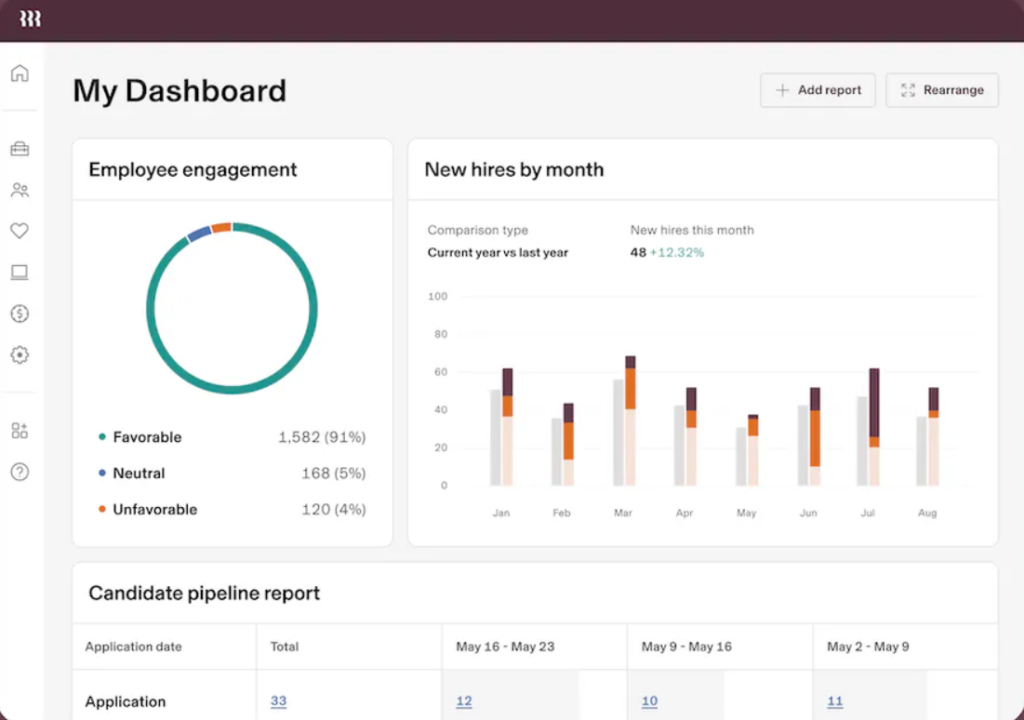
Best for: companies already using Rippling as their HRIS that want to extend employee lifecycle automation to device management.
Rippling combines HRIS, payroll, IT, and finance on a single platform. Its IT module follows the same logic and connects device management directly to the employee record. When someone joins, Rippling can ship them a laptop from its own warehouse, configure it based on their role, and assign the corresponding SaaS access. When that person leaves, the process reverses automatically. This is a powerful proposition, though its value depends on how fully the company adopts Rippling as its central platform.
Key MDM Features
- Employee-linked zero-touch enrolment: integration with Apple Business Manager and Windows Autopilot connected directly to the employee record in Rippling for automatic provisioning from day one.
- Role-based automatic policies: security configurations and access settings applied based on department, location, or job title without manual intervention.
- Forced disk encryption with key escrow: automatic FileVault and BitLocker activation with centralised recovery key escrow.
- Role-based app deployment: silent software installation tied to the employee’s role, no requests or tickets needed.
- Remote commands: lock, wipe, and locate lost or stolen devices from the console.
- Managed hardware logistics: storage, shipping, retrieval, and refurbishment of devices through Rippling’s own infrastructure, at an additional per-service cost.
- Integrated SaaS access management: automatic licence assignment and revocation from the same platform when onboarding or offboarding an employee.
- Unified onboarding workflows: an onboarding process that ties IT, HR, and finance together in a single automated flow.
What Makes It Different
The end-to-end onboarding automation. From the moment an employee is added to the HRIS to when they receive a fully configured laptop at home, the entire process can run without manual intervention. For companies with distributed teams and frequent turnover, that automation reduces the operational load on IT.
Limitations
- Significantly higher price than pure MDMs. The device management module starts at approximately $8 per user per month for core MDM capabilities (automated device setup, security policy enforcement, remote lock and wipe, and compliance monitoring), with total costs rising as additional modules are added. Rippling does not publish pricing publicly.
- The real value only accesses if you are already using Rippling as your HRIS. As a standalone MDM, the cost-to-feature ratio is poor.
- Less depth of control at the device configuration level than specialised MDM tools.
- Limited European presence, with no support in many European languages and less local regulatory coverage.
9. Iru (formerly Kandji)
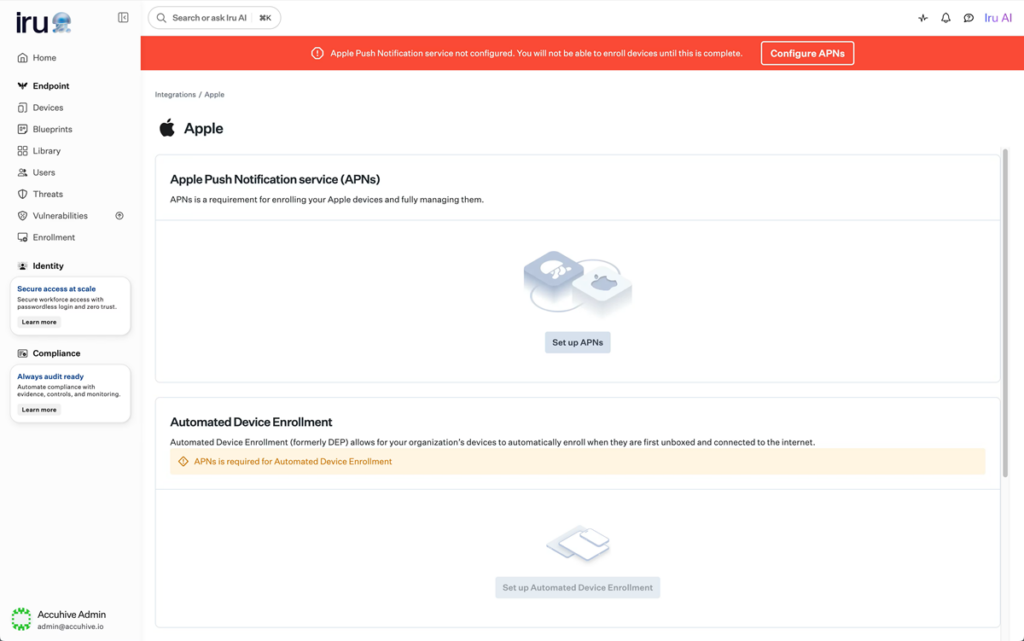
Best for: IT teams at Apple-first companies looking for advanced automation based on configuration templates that maintain device state autonomously.
Iru is the new name for Kandji. The rebrand is recent, and plenty of teams still know it by its old name. Its core proposition is blueprints: templates that combine profiles, scripts, apps, and compliance controls into a single reusable workflow. They work declaratively. Instead of running a sequence of steps every time, you define the desired end state for the device and the platform takes care of maintaining it. If it detects a deviation, it corrects it automatically.
Key MDM Features
- Blueprints (declarative templates): reusable workflows that combine profiles, scripts, apps, and compliance controls in one configuration. For example, a “Design” blueprint can define macOS updated to the latest version, FileVault enabled, Figma and Adobe Creative Cloud installed, and unapproved browsers blocked. If someone uninstalls Figma, the platform reinstalls it automatically.
- Liftoff (guided onboarding): a first-boot experience for end users with step-by-step visual progress, no IT intervention needed.
- Auto Apps: automatic updates for over 200 common third-party macOS apps without the admin having to manage versions manually.
- Pre-configured security control library: over 150 controls mapped to CIS Benchmarks and NIST, ready to apply without building from scratch.
- Passport (identity management): password synchronisation between the corporate directory and the device’s local account for unified user access.
- Automatic compliance remediation: autonomous correction when a device drifts from the state defined in its blueprint, with no manual intervention.
- Native EDR (add-on): endpoint threat detection and response integrated into the same platform as an additional module.
- Device Harmony: unified visibility into the security posture of the entire Apple fleet from a single dashboard.
What Makes It Different
The blueprints. You define how each device should be configured, and the platform makes sure it stays that way. If something changes or drifts, it fixes itself. That eliminates a significant number of “this Mac isn’t compliant” incidents because the system resolves them before they ever reach the IT team.
Limitations
- Apple only. It does not manage Windows, Android, or Linux.
- Higher price than other Apple-only MDMs like Mosyle, especially for macOS.
- The recent rebrand from Kandji to Iru is causing confusion in the market, and some of the public documentation is still in transition.
Rebrand note: Kandji rebranded to Iru in early 2026. If you encounter references to ‘Kandji’ in procurement documentation or vendor comparisons, they refer to the same platform. The product roadmap and support infrastructure remain unchanged under the new name.
10. Miradore
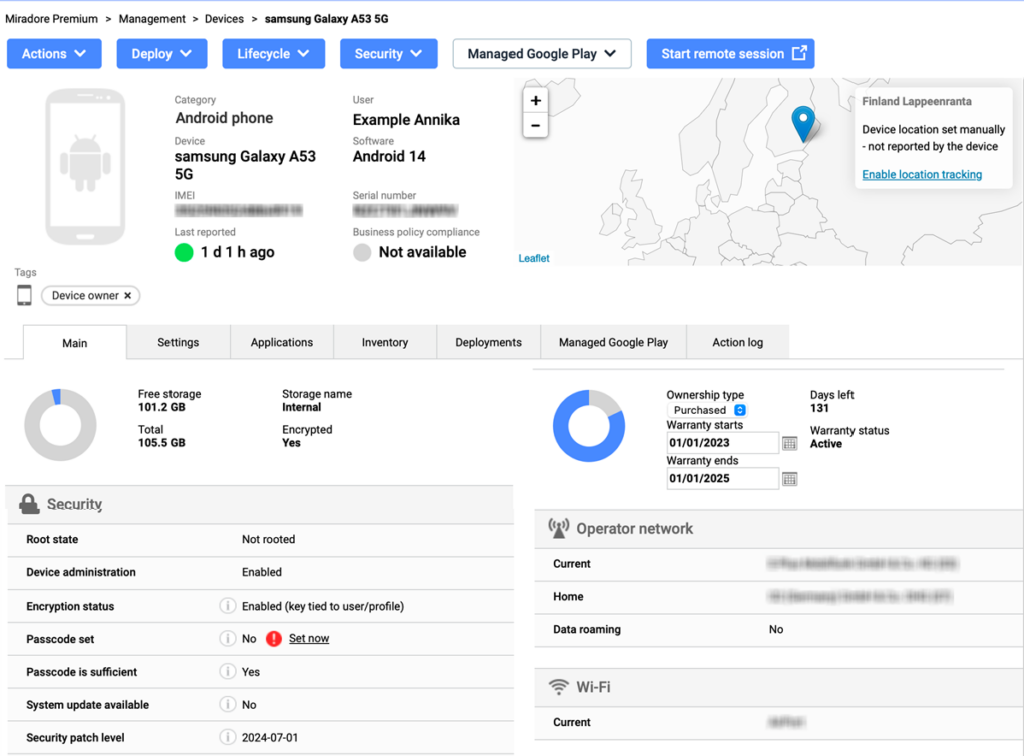
Best for: IT teams on a very tight budget that need a functional MDM without enterprise-level complexity.
Miradore offers a free plan that actually works and a simple interface, making it a good entry point for companies that have never managed devices centrally. It covers the basics for getting your fleet off manual management. However, it has a clear ceiling. When the team needs advanced security controls, integrations with the rest of the IT stack, or a formal patching policy, the limitations become apparent, and what you save on licensing ends up being spent on manual labour.
Key MDM Features
- Cross-platform enrolment: device enrolment via Apple Business Manager, Android Enterprise, and Windows, both manual and programmatic.
- Basic configuration profiles: password policies, Wi-Fi, VPN, email, and device restrictions managed from the console.
- Essential remote commands: lock, full wipe, selective wipe (corporate data only), and device location.
- Disk encryption with key escrow: FileVault and BitLocker activation with centralised recovery key escrow, available on the Premium+ plan.
- Automated hardware and software inventory: visibility into what is installed on each device with schedulable reports.
- App deployment: distribution from App Store, Managed Google Play, and MSI packages for Windows with group-based assignment.
- Pre-built Business Policies: ready-to-apply configuration templates for device groups without starting from scratch.
- Free plan with no strict device limit: basic MDM operations available at no cost for teams just getting started.
- 14-day free trial of the Premium+ plan: full access to all advanced features to evaluate the platform before committing.
What Makes It Different
Its free plan is genuinely functional, not the watered-down demo you get with most free tiers in the space. For a company that wants to start managing its devices in an organised way without taking on costs from day one, Miradore is one of the most accessible entry points out there.
Limitations
- The advanced features (third-party integrations, native remote support) are only available on the Premium+ plan.
- No SaaS management capabilities, access provisioning, or lifecycle automation.
- The depth of control falls short of Hexnode, Jamf, or Intune. Not suitable for companies with strict security requirements.
How do you choose the right MDM for your business?
No single MDM is the right answer for every organisation. The decision depends on fleet composition, ownership model, regulatory obligations, and how tightly device management needs to connect to the rest of your IT and HR stack. The table below maps the most common scenarios to the tools best suited to them.
| Scenario | Recommended starting point |
|---|---|
| Mixed fleet (macOS, Windows, Android, Linux) + HRIS integration | Factorial IT |
| 100% Microsoft 365 environment | Microsoft Intune |
| 100% Apple fleet, enterprise depth | Jamf |
| 100% Apple fleet, cost-conscious | Mosyle |
| Cross-platform with pre-built templates | Hexnode UEM |
| Existing RMM, adding mobile management | NinjaOne |
| Kiosks, POS, and field devices | Scalefusion |
| Apple-first with declarative automation | Iru (formerly Kandji) |
| Very tight budget, getting started | Miradore |
What are the future trends shaping MDM in 2026 and beyond?
The MDM market is growing fast. According to Mordor Intelligence, the global MDM market is valued at USD 11.11 billion in 2026 and is projected to reach USD 26.04 billion by 2031, driven by the expansion of hybrid work, BYOD adoption, and tightening regulatory requirements.
Three trends are reshaping what organisations expect from device management platforms:
1. HRIS-linked lifecycle automation. The manual handoff between HR and IT at onboarding and offboarding is increasingly seen as an operational liability. Platforms that tie device provisioning directly to the employee record—so that a new hire triggers automatic device configuration, SaaS licence assignment, and access permissions without a ticket—are gaining ground over standalone MDMs that require manual orchestration. This is often referred to as advanced device lifecycle management.
2. Unified endpoint management (UEM) over point solutions. IT teams managing servers, laptops, mobile devices, and IoT endpoints from separate consoles are consolidating onto single platforms. The distinction between “MDM” (mobile-only) and “UEM” (all endpoints) is collapsing in practice, with most modern platforms covering both.
3. Regulatory pressure as a procurement driver. The Computer Misuse and Cybercrimes (Amendment) Bill, passed by Parliament in June 2026, together with the National Cybersecurity Agency established by Executive Order in May 2026, expands mandatory obligations; annual cyber risk assessments, internal operations centres, 24-hour incident reporting to NC4, to operators of critical infrastructure including banks, telcos, and utilities. For organisations, the ability to demonstrate endpoint compliance; access restricted to authorised personnel, a named CISO’s oversight, audit-ready backup and recovery records through an MDM audit trail is moving from best practice toward a documented legal expectation.
MDM and Kenya data protection: what IT teams need to know
For Kenyan organisations, device management is a data protection question too. Under the Data Protection Act 2019, any device that accesses or stores personal data must be covered by “appropriate technical and organisational measures.” An MDM enforcing disk encryption, remote wipe, and access controls gives you the audit trail to demonstrate that to the ODPC if a device is lost or a breach occurs.
Kenya has no NCSC-equivalent government mandate requiring MDM specifically, but critical infrastructure operators (banks, telcos, utilities) face a comparable bar under the Computer Misuse and Cyber Crime Regulations 2024: restricted access to authorised personnel, a named CISO, and backup/recovery systems, enforced through Kenya’s new National Cybersecurity Agency.
Key controls worth enforcing regardless:
- Access control: restrict device and system access to authorised personnel only — a direct requirement for CII operators under the 2024 Regulations.
- Encryption: on-device encryption to meet the DPA’s “integrity and confidentiality” principle for personal data at rest.
- Backup and recovery: maintain a system for information retrieval in case of device loss, as the CII Regulations require.
- Audit trail: CISO-level oversight and record-keeping — useful evidence both for ODPC enforcement and for the pending AI Bill, 2026’s five-year data record-keeping requirement, should your AI-assisted HR features fall into a high-risk category.
Choosing an MDM that can generate compliance reports mapped to these controls—and that stores audit data within UK or EU data centres—significantly reduces the evidence burden when regulators ask for proof.
FAQ
What is the best MDM software?
The best MDM software integrates device management with the complete employee lifecycle. Factorial, an all-in-one business management software, connects endpoint management directly to HR data, automating provisioning and deprovisioning for mixed device fleets and ensuring compliance from a single source of truth.
What is the best free MDM tool?
Some MDM solutions offer free plans that cover basic device management, such as enrollment, inventory, and remote commands. These are ideal for small teams just starting out but often have limits on the number of devices or lack the advanced security features available in paid plans.
What is the cheapest MDM?
The cheapest MDM solutions often use a pay-per-device pricing model and may offer free tiers for very small fleets. However, the total cost depends on the features you need, as advanced security, automated patching, and dedicated support are typically included only in higher-priced plans.
Is Intune the best MDM?
A solution that integrates with an existing ecosystem can be very powerful, especially for managing Windows devices and applying conditional access policies. However, it can have a steep learning curve, and its management of other device platforms may be less comprehensive than specialized cross-platform tools.
Which is the most efficient MDM system for tech companies?
The most efficient MDM for a tech company automates the entire employee lifecycle, from onboarding to offboarding. Factorial, an all-in-one business management software, achieves this by linking device provisioning, SaaS access, and security policies directly to HR data, eliminating manual IT tickets.