Document Management Software
Let’s explore the best document management software of 2026!
In the age of Document Management Software (DMS), overflowing file cabinets and scattered paper trails are long gone.
For businesses and individuals alike, managing documents efficiently and securely is essential.
Let’s see the 7 most outstanding Document Management Software solutions of 2026.
TABLE OF CONTENTS
- Introduction to Document Management Software
- Factorial
- Confluence
- PandaDoc
- Jotform
- Wrike
- DocuWare
- DocuSign
- Try here a Document Management Software ✅
- Document Management Best Practices
- How to Implement a DMS
- https://factorial.ke/document-management
What is Document Management Software?
History of Document Management Software
The history of Document Management Software (DMS) dates back to the early days of computing, when businesses sought efficient ways to manage paper-based documents.
While the concept of managing documents electronically emerged in the 1980s, it was during the 1990s that DMS solutions started gaining traction.
- 1980s: Early digital document storage and retrieval systems aimed to store electronic files in hierarchical folder structures.
- 1990s: In the wake of the internet and personal computers, document management systems have evolved rapidly.
- Early 2000s: Businesses created vast amounts of digital data, which was converted into editable text through Optical Character Recognition (OCR).
- Mid-2000s: A cloud DMS makes documents accessible, collaborative, and cost-effective from anywhere via the internet, and secured on remote servers.
- Late 2000s to 2010s: Integrated with CRM, ERP, and other productivity tools, DMS enhances workflow and productivity.
- Today (2026): DMS continues to enable companies to manage their documents efficiently. AI and machine learning enable document categorization, data extraction, and automated workflows.
What is Document Management Software today
Document Management Software today represents the pinnacle of efficiency and organization, empowering businesses to transition into a paperless future, reduce operational costs, and optimise productivity across the board.
Key Features of Document Management Software:
- Centralised Document Storage: DMS provides a centralised repository for all types of documents, from text files to multimedia content.
- Document Version Control: Advanced versioning features allow users to track changes, manage revisions, and access previous iterations of documents. This ensures a clear audit trail and preventing data loss.
- Advanced Search and Retrieval: Powerful search algorithms and metadata tagging enable quick and accurate document retrieval, saving valuable time and effort previously spent searching through physical filing systems.
- Collaboration Tools: Comments, annotations, and document sharing optimise productivity and foster efficient communication among users via real-time collaboration features.
- Security and Access Control: DMS prioritises data security, employing encryption, user authentication, and role-based access control to safeguard sensitive information from unauthorised access.
- Integration with Third-Party Apps: Today’s DMS seamlessly integrates with various business applications, enabling smooth data exchange between systems and eliminating data silos.
- Automation and AI: AI and automation have revolutionised DMS, automating tasks such as data extraction, content categorisation, and workflow automation.
- Mobile Accessibility: The DMS is truly flexible and user-friendly thanks to mobile apps and responsive interfaces.
As technology continues to advance, DMS will undoubtedly evolve further, continually enhancing the way we manage and interact with our work documents.
Let’s dive into the 7 Best Document Management Software for 2026:
1. Factorial: Document Management Software for Small & Medium Companies. |
Factorial Document Management Software ⭐️⭐️⭐️⭐️⭐️
Factorial Document Software offers a comprehensive and secure solution for efficiently managing all company and employee documents.
Trusted by over 8,000 companies in more than 65 countries, this platform simplifies document organisation and centralisation, making collaboration and compliance easy.

PROS
✅ Organized Employee Documents
HR teams have easy access to pay slips, contracts, leaves, IDs, and other essential employee documents thanks to the meticulous organization.
✅ Custom Document Folders
The repository is structured and user-friendly, with custom folders for different document types. Employees are notified when new documents are available.
✅ Effortless Bulk Uploads
Uploading documents in bulk is made simple, saving time and effort for users dealing with large volumes of data.
✅ Centralized Company Documents
Documents related to the business can be centrally located, allowing for easier sharing with employees.
✅ Digital Signatures
Sign legal documents electronically while complying with legal standards with secure digital signatures.
✅ Document Workflows
Streamline internal processes by creating document approval workflows.
✅ Customizable Fields
Generate insightful reports and enhance document data using custom fields.
✅ Document Permissions
Limit access to authorized employees and managers to ensure data privacy.
✅ Robust Security
All documents are protected and confidential with Factorial’s powerful encryption and users-based access.
CONS
❌ Factorial is exclusively designed for small and medium-sized businesses, although soon it will be accessible to larger enterprises.
❌ The platform boasts a user-friendly and intuitive interface. However, in certain cases, especially when integrating with external APIs, it might be necessary to contact support.
2. Confluence: Capture and Organize Your Most Valuable Assets. |
Confluence Document Management Software ⭐️⭐️⭐️⭐️
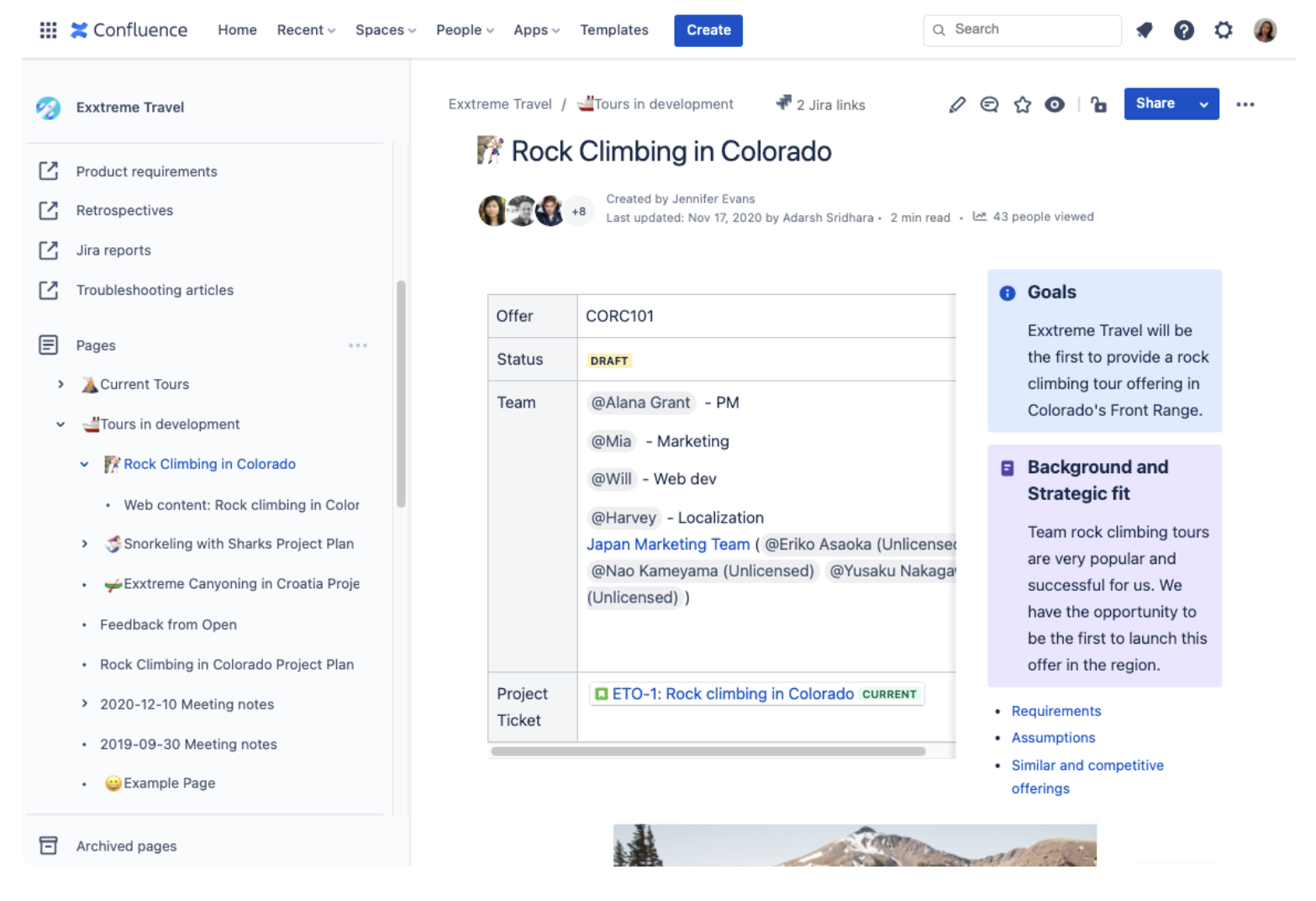
Confluence is a project management solution that enables organizations to create, collaborate, organize, and review project documents.
Its editor allows users to create meeting notes, product requirements, and research reports, with managers providing feedback.
Managers can restrict access to confidential data and collaborate within closed groups with Confluence’s knowledge management module.
This task management feature allows delegation, tracking, and monitoring of task changes, providing managers with project transparency. It integrates with JIRA for project transparency.
PROS
✅ Planing and designing features is easy thanks to the seamless integration with Jira.
✅ While the costs of the plugins can start to add up if they are used, they are worth it in the long run.
✅ Document syncing that is great for online collaboration. Great permission management to protect confidential information.
✅ A great feature of the documentation is that you can do almost anything with it by using an internet browser.
CONS
❌ The program Confluence is not intuitive and learning to navigate it properly takes some time.
❌ Having multiple links on the same page (both long and short) makes Confluence a little confusing.
❌ It can be confusing for new users when it comes to Confluence syntax.
❌ It’s difficult to copy and paste information from Confluence into other software without the editing causing problems.
3. PandaDoc: An All-in-One Tool to Create, Edit, Send, Track, and eSign Documents. |
PandaDoc Document Management Software ⭐️⭐️⭐️⭐️
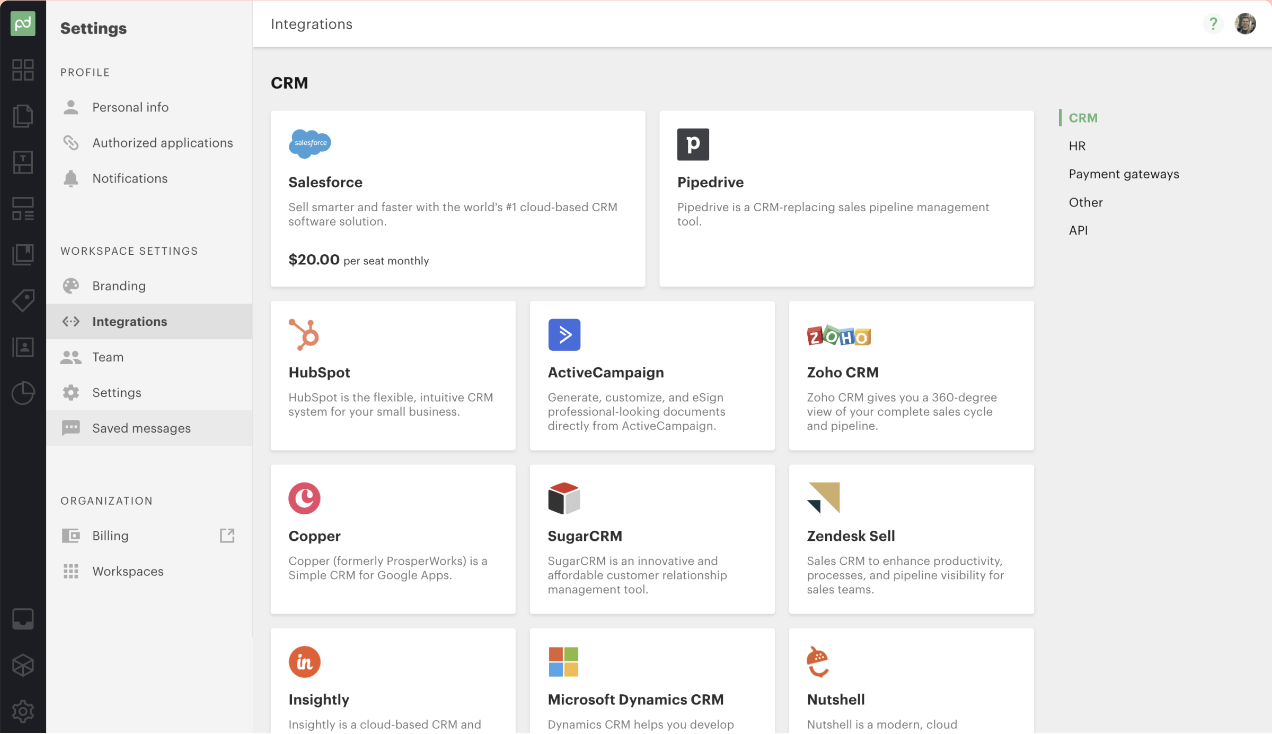
PandaDoc is a cloud-based all-in-one document management tool designed to simplify the process of creating, editing, sending, tracking, and eSigning documents.
With a wide range of proposal templates and features like collaboration, e-signatures, and CRM integration, it helps sales and marketing teams create professional-looking documents quickly.
Users benefit from real-time analytics to track proposal performance, resulting in a 20% increase in closed rates.
It offers subscription-based pricing and integrates seamlessly with popular platforms like Salesforce and HubSpot.
PROS
✅ It is easy to customize the templates and allows you to create stunning designs with little effort.
✅ One of the best aspects of Pandadoc is that it is very easy to edit services as you fill it out.
✅ Document organization and storage made easy. Once you log into your account, you can see the status of all your documents.
✅ The free version provides everything that most other similar services have in paid versions and those features are enough for small businesses to get started.
CONS
❌ Some customers are experiencing spam issues with their emails.
❌ It is often inaccurate when it picks out the fields to fill up automatically in a form.
❌ The cost of PandaDoc might be prohibitive for small businesses or individuals with simple needs.
❌ The signing process should be automated at set times until all parties are satisfied.
4. Jotform: Automate Your Signable Documents. |
Jotform Document Management Software ⭐️⭐️⭐️
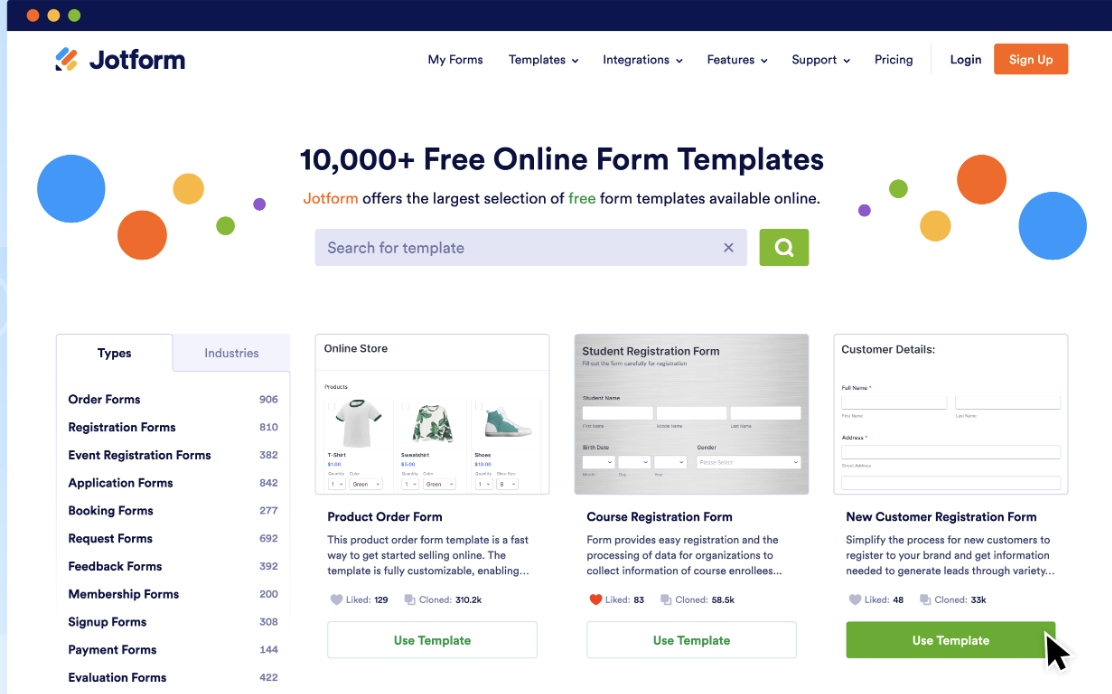
Using Jotform, users can generate leads, collect payments, conduct surveys, manage job applications, and register event attendees.
Using the form builder, you can add emojis, icons, animations, and video backgrounds to one-page surveys.
Jotform integrates with popular platforms like PayPal, Google Drive, Dropbox, MailChimp, SalesForce, and more through plugins.
Users can enhance their forms with various widgets, such as checklists, image sliders, and date selections.
Jotform offers monthly subscriptions with support via email, chat, training videos, and an online support forum.
PROS
✅ You can format the answers in PDF format once they have been submitted.
✅ The ease of use of the form building process – with drag-and-drop options, excellent customer support, and regular updates to improve the form building process.
✅ As a platform, Jotform is very easy to use, as it offers a variety of templates to work with, as well as an endless number of widgets and plugins to add to your forms.
✅ If you are looking to capture information, this is an extremely powerful tool due to the conditional form fields and calculations.
CONS
❌ There are times when it is difficult to upload images into the document for submission.
❌ As compared to other available solutions, the license for this software is relatively expensive.
❌ Despite offering support through email and a help center, there have been instances when users have not received timely responses or solutions.
❌ There is a lot of work involved in finding the right template, theme, and personalizing them.
5. Wrike: Streamline Your Document Workflow Management. |
Wrike Document Management Software ⭐️⭐️⭐️⭐️
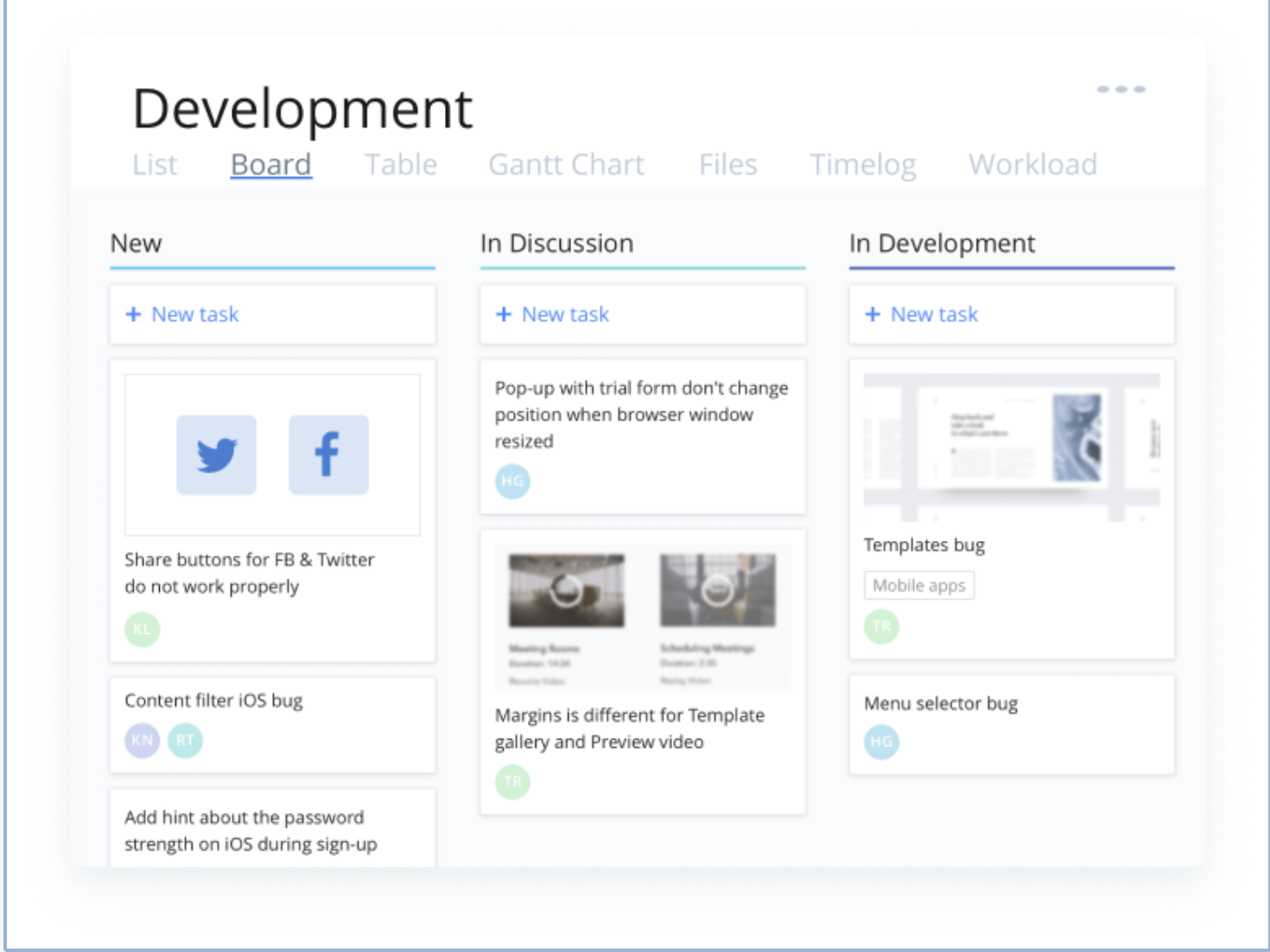
In addition to being a powerful work management platform, Wrike is built for teams and organizations looking to collaborate, create, and exceed every day. With Wrike, all work is in one place to reduce complexity, increase productivity, and free up employees to focus on what matters most to them.
In an increasingly competitive marketplace, Wrike has the power, versatility, and intuitiveness to scale, optimize, and move quickly.
PROS
✅ The task management features are excellent, and it’s a good tool for collaborating with internal teams.
✅ All the features are fantastic, including time tracking, formulas, reports, custom fields, internal rate cards, etc.
✅ Setting up custom dashboards for employees, with tasks grouped into widgets tailored to processes and workflows, is a great way to increase efficiency.
✅ You can easily customize your processes with the tool since it is very intuitive.
CONS
❌ Different views are available, which is nice, but each view has its own information to see, which can be challenging.
❌ Currently, it is not possible to reassign an author and has been requested to be implemented.
❌ It is possible for updates and information to get lost in the shuffle if comments are allowed on both the Project level and on each individual Task.
❌ It would be helpful to have additional storage per user to hold all the documents for each project over time. It would also be helpful to archive to save space.
6. DocuWare: Best Document Management System for Integration.
|
DocuWare Document Management Software ⭐️⭐️⭐️⭐️
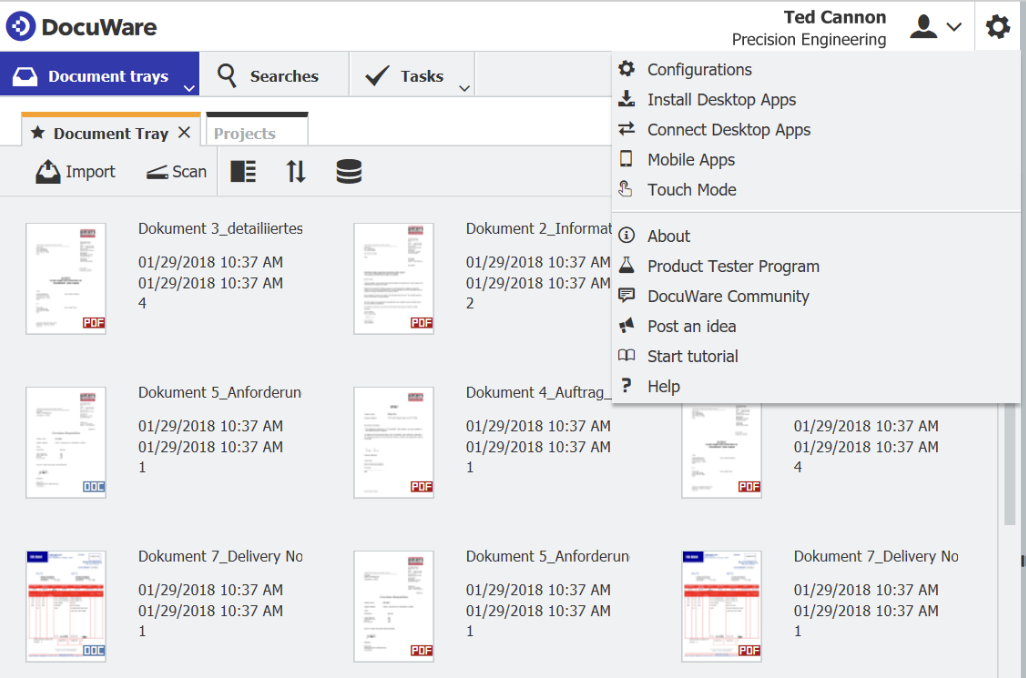
DocuWare is a versatile document management solution ideal for businesses using multiple software applications. Its seamless integration ensures consistency and organization, providing real-time updated data. Automation streamlines day-to-day tasks, freeing up valuable time for more important projects.
With integration capabilities for over 500 applications, DocuWare caters to various industries, automating document tracking and enhancing work output. The support for different integration methodologies, including deep API-based and point-and-click integrations, makes it highly adaptable.
Dedicated connectors for SAP, Outlook, and other leading platforms add to its convenience and utility. DocuWare is a powerful tool to optimize document management and workflow efficiency.
PROS
✅ DocumentWare is ideal for businesses with multiple software types, like accounting and finance, in their IT stack.
✅ It provides APIs (application programming interfaces) and point-and-click integrations with more than 500 applications.
✅ There is always another file online on the backup disk in case of a problem with file access due to Docuware’s rapid syncing abilities.
✅ Documents can be scanned and automatically routed to the appropriate staff member or department with the ability to scan and route them.
CONS
❌ Larger businesses may not be able to use the basic plan because it only offers 20GB of storage.
❌ Docuware does not support complex logic, so creating a complex workflow is challenging.
❌ There’s deficiency in tutorials available on vendor website.
❌ Support isn’t as helpful and permissions aren’t centralized.
7. DocuSign: Automate how you prepare, sign, act on and manage agreements. |
DocuSign Document Management Software ⭐️⭐️⭐️⭐️
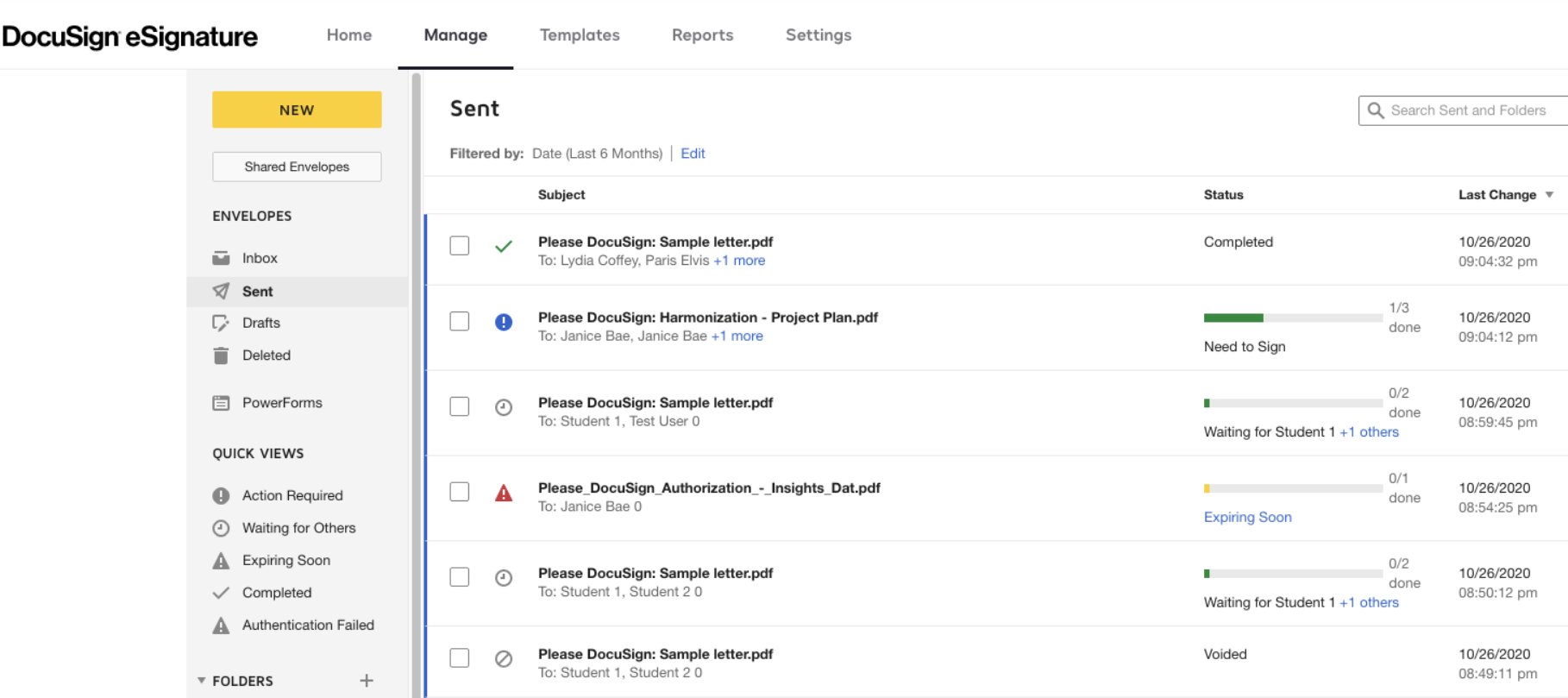
DocuSign is a leading platform that streamlines agreement processes for organizations worldwide. As part of the DocuSign Agreement Cloud, it offers eSignature, allowing users to sign electronically on any device, from anywhere, at any time.
With over a million customers and a billion users across 180 countries, DocuSign accelerates business transactions and simplifies lives. Its benefits include rapid, trackable agreement processing, improved customer satisfaction through a seamless signing experience, standardized agreement procedures, time-saving automation, enhanced agreement accuracy, and seamless integration with existing business systems.
DocuSign revolutionises the way agreements are prepared, signed, and managed, enhancing efficiency and productivity for businesses of all sizes.
PROS
✅ You find the platform to be incredibly convenient, secure, and user-friendly, allowing you to sign, send, and manage your job offer letters digitally.
✅ It offers the added advantage of tracking and securing the information you share with your recruiter, making the whole process efficient and hassle-free.
✅ Remarkable capability to seamlessly integrate with other third-party software solutions used in your organization.
CONS
❌ Customer service might not be the best.
❌ Sometimes, customers prefer to sign manually.
❌ It should be more visually intuitive for new users.
Document Management Best Practices
Consider these document management best practices to ensure you maximise your business’ performance:
- Cloud-based solutions for accessibility: With more and more organisations offering remote working, cloud-based document management solutions are more important than ever. Using secure, cloud-based software ensures that you and your teams can access project documentation, contracts and company policies from wherever you work – the office or the sofa.
- Version control and document tracking: One of the top benefits of using a centralised document management system is that you can control how and when your essential documents are changed. Give different permissions to different people depending on the documents they may need to edit, and track all changes so you know when a document was last reviewed so you can set its next review date. Using a centralised document manager prevents duplicate documents from being shared between teams and reduces confusion over which version is the latest.
- Security measures for confidential information: One worry that many businesses have before they make the switch to an online document management system is that anyone could gain access to confidential company documents and employee information. Make sure you choose a document management system with security measures to tell you what they will do if there’s a data breach. You can view all of Factorial’s security information here. At the very minimum, all information should be encrypted, a method of scrambling data so only authorised users can access it.
- Document approval workflows: When collaborating on project documents or HR policies, it’s best practice to create workflows to ensure that everyone required to have input on a document gets it. Use an HR document management system that allows you to assign reviewers to different documents and restrict access to sensitive information. It’s even better if your software can notify the next reviewer in the workflow so you can get sign-off quickly and easily.
- E-signatures: We’re betting you’re trying to reduce your paper usage in your office. One of the best ways to do that is to use e-signature software. Make e-signatures part of your document management system to streamline your approval workflows, onboard staff more quickly and get contracts for clients sorted.
Just some of the benefits of e-signatures include:
- Save money and resources: No need to print out documents and post them for signing – simply send the signer an email or notification for them to sign.
- Sign from anywhere: If that crucial manager leaves the office or works from home one day, it’s no problem – they can log in and sign from anywhere at any time.
- Quicker onboarding: You won’t have to wait for that new team member to receive their contract, sign it and post it back to you – they could be joining your business within days of accepting an offer.
E-signatures can help speed up various business processes, from onboarding new staff, updating policies or signing off bonuses. Just make sure that you choose secure e-signature software that complies with standards such as eIDAS so you can use it for legally binding signatures.
While they all sound like separate parts of your company processes, internal communication, employee self-service, and organisational charts can be made simpler and easier using cohesive HR document management software.
Creating seamless workflows for your company’s most important documents and employee self-service requests frees up your HR team’s time and helps your team’s projects stay on track. Keeping your org chart up to date in real-time helps to ensure that your employees always know their reporting lines and who to go to for support, and can improve employee engagement since they understand their roles and what’s expected of them.
The key to increasing business performance is understanding that your organisation’s needs will evolve, so you must adapt and continuously improve to meet them. Using business document management software helps to future-proof your company, centralising your most important documentation and information to ensure you’re ready to react whenever your organisation needs you to.
How to Implement a DMS
When you start to think about implementing a comprehensive document management system for your organisation, there are several factors to consider. Firstly, assess the needs of your business both now and in the future. If you are planning to expand and change the roles involved in your business processes or workforce, this may impact the documents you need to manage.
Once you have a good idea of your business needs, think about the following questions:
- What formats (e.g., Word, PDF, videos) does your DMS need to support?
- How do you want documents stored?
- Does it include optical character recognition (which allows you to convert text and images into a format the software can use)?
- What are the security features of the DMS, and are you confident they will work for your business?
- Is the search function easy to use?
- Who has access control?
- Does the DMS offer version control and a system for audit trails?
- How does the DMS facilitate collaboration?
- Do you need the DMS to integrate with other systems?
- What happens if the internet goes down or someone deletes a document?
The best document management software ensures the interface is intuitive and easy to use so employees can hit the ground running as far as possible. A trial period is a good idea to help iron out any teething difficulties.
The information presented on this page is based on publicly available sources, but not limited to pandadoc.com, jotform.com, wrike.com, start.docuwave.com, docusign.com, Capterra public reviews, G2 public reviews, and Trustpilot public reviews. The comparisons between Factorial and other providers, are intended solely for the illustration of the respective software features, pricing and functionalities. All information regarding features, prices, and integrations may be subject to change without prior notice. Factorial assumes no liability for the accuracy, completeness, or timeliness of the information presented. We recommend contacting the respective providers directly to obtain the most accurate and up-to-date information. All legal regulations regarding spanish fair advertising and competition law are fully observed by us; if you have any concerns, please reach out to us. The comparisons presented do not constitute a final evaluation or recommendation for any provider, but serve solely as an informational source.